HubSpot Migration
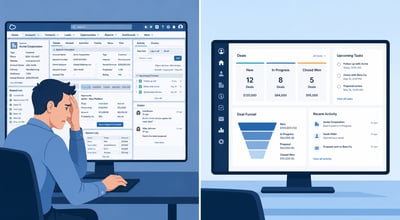
TPG has inherited broken migrations. We have diagnosed them, fixed them, and rebuilt them from scratch. After 100+ migrations, the failures cluster. The same 8 decisions break the same migrations, in the same order, every time.
Every failure below is real. The fixes are what TPG builds into every migration engagement from the start.
Failure 1: Attribution History Is Treated as a Data Export Problem
Teams export Salesforce campaign member data, drop it into a HubSpot import, and call it done. Six weeks later the CMO runs a pipeline attribution report and marketing appears to have contributed nothing to revenue in the past 18 months.
The problem: Salesforce campaign member records represent a relationship between contacts and campaigns. HubSpot's contact timeline works differently. A direct import does not preserve that relationship in a form HubSpot reports can use.
Why this breaks revenue reporting
If HubSpot cannot tie contacts to the campaigns that influenced them, multi-touch attribution models produce zero or meaningless results. The CMO loses the ability to prove marketing's pipeline contribution at the moment the migration was supposed to improve it.
The Fix: Before any data migration, design the attribution structure you want in HubSpot and build it as custom contact properties. Map original source, first campaign, last campaign before close, and campaign influence count as explicit properties. Then migrate campaign data into those properties, not into a generic activity import. This takes 8-12 hours in the pre-migration phase and saves 200+ hours of retroactive repair.
Failure 2: Custom Objects Are Mapped on a Field-for-Field Basis
The migration team treats every Salesforce custom field as something that needs a HubSpot equivalent. The result is a HubSpot instance with 400+ custom properties, most of which serve no reporting purpose and all of which slow adoption because nobody knows what anything means.
Salesforce's data model evolved through a decade of business-driven customization. Every one of those customizations made sense when it was built. Most of them are solutions to problems HubSpot handles differently, or problems that no longer exist.
The Fix: Audit every custom field before migration. For each one, answer: (a) Is this used in active reports or dashboards? (b) Is this used to trigger active automation? (c) Does a HubSpot default property cover the same use case? Fields that fail all three tests do not migrate. In practice, this process eliminates 40-60% of custom fields on most Salesforce instances, producing a HubSpot instance that is immediately more usable.
Failure 3: Integration Dependencies Are Discovered at Go-Live
Marketing automation syncs, ERP connections, billing system integrations, and custom internal tools all connected to Salesforce. Nobody documented them. The migration team finds out which systems are connected to Salesforce when they stop working on go-live day.
In one case TPG was brought in to rescue, the company's billing system was writing renewal dates back to Salesforce and the customer success team was reading those dates as their renewal trigger. When Salesforce went down, they lost visibility into 40+ upcoming renewals mid-quarter.
The Fix: In week 1 of the migration project, conduct a full integration dependency audit. For every system in the revenue stack, determine: Does it read from Salesforce? Does it write to Salesforce? What data flows in which direction? How often? Who owns the integration? The migration plan for every connected system should be defined before phase 1 closes. Surprises at go-live are not technical problems. They are planning failures.
Failure 4: Data Is Migrated in the Wrong Sequence
Contacts migrate before companies. Deals migrate before contacts. Activities migrate before deals exist to associate them to. The result is orphaned records that look complete in the object view and are broken in every report that relies on object associations.
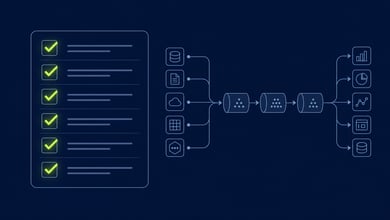
The Fix: Migrate in this exact sequence, with validation between each step: (1) Companies. (2) Contacts. (3) Deals. (4) Activities. (5) Attribution data. Run a record count and association check after each step. Do not proceed to the next object until the previous one validates cleanly. This is not optional. It is the difference between a migration that works and one that looks like it works.
Failure 5: The Go-Live Date Is Treated as a Finish Line
The migration team celebrates go-live day, shuts down the project, and moves to the next engagement. Six weeks later, 30% of the sales team is back in Salesforce (which is still running), 20% is in spreadsheets, and 50% is in HubSpot but logging no activity.
Go-live is not the finish line. It is the start of the adoption phase. Every migration that treats go-live as done fails commercially even when it succeeds technically.
The Fix: Build a 30-day hypercare plan before go-live that includes: daily standups for weeks 1-2, usage monitoring with per-rep adoption dashboards, a designated point of contact available same-day for questions, a formal Salesforce decommission date (firm, not flexible), and a 30-day retrospective with an optimization roadmap. The migration project ends at day 30 of hypercare, not at cutover.
Failure 6: Salesforce Stays Open "Just in Case"
Leadership gets nervous about losing access to historical data and extends the Salesforce subscription 3 months, then 6 months, then indefinitely. Sales reps know Salesforce is still there. They use it when HubSpot feels unfamiliar. HubSpot adoption never reaches the critical mass that makes it the system of record.
The Fix: Set a firm Salesforce decommission date before go-live. Communicate it to every user. For teams that genuinely need access to historical data, export the relevant reports to a static file or maintain a read-only Salesforce instance for a defined 90-day window. The decommission date is not a threat. It is an adoption incentive. Without it, dual-system inertia kills HubSpot adoption.
Failure 7: Reports Are Not Built Before Go-Live
The migration team focuses on moving data correctly. Nobody builds the HubSpot reports before go-live. The CMO opens HubSpot on day one and sees a blank dashboard. The CFO asks for the pipeline attribution report and the answer is "we're still building it." Leadership loses confidence in the platform on the first day they interact with it.
The Fix: Build every report and dashboard used by leadership, managers, and individual contributors during the configuration phase, before any user training happens. Validate each report against the Salesforce baseline. If a HubSpot report shows a number that does not match the Salesforce equivalent, understand why before go-live, not after. The reporting configuration phase is as important as the data migration phase.
Failure 8: Training Happens Once, in One Session, for Everyone
The migration team runs a 2-hour all-hands HubSpot training. 30 minutes covers the features SDRs need. 30 minutes covers what AEs need. 30 minutes covers customer success. 30 minutes goes to Q&A that only applies to 10% of attendees. Everyone leaves partially trained and immediately overwhelmed.
The Fix: Train by role, not by all-hands. SDRs get a dedicated session focused on sequences, tasks, and contact views. AEs get a dedicated session on deal management and pipeline visibility. CSMs get their own session on account health and renewal tracking. Leadership gets a dashboard walkthrough, not a platform overview. Record every session. Role-specific training takes more calendar coordination but produces adoption rates that all-hands training cannot match.
"The teams that avoid these 8 failures do not avoid them because they are smarter. They avoid them because they have seen what the failures cost and they plan around them."
Planning a Salesforce to HubSpot Migration?
TPG has seen every failure on this list. We build the prevention of each one into every migration engagement we run. Start with a 30-minute audit call.
Talk to a Migration Specialist
Frequently Asked Questions
What is the most common Salesforce to HubSpot migration failure?
Treating attribution history as a data export problem. Teams move Salesforce campaign member records into HubSpot without designing the attribution structure first. The data arrives in HubSpot but the relationships that make it reportable do not survive the move. The CMO runs the first attribution report and marketing appears to have contributed nothing to revenue.
Why do so many HubSpot migrations fail on sales adoption?
Because the migration team declares victory on go-live day and closes the project. The Salesforce subscription stays open. Training was done once in a single all-hands session. No adoption monitoring is in place. Without a firm Salesforce decommission date, reps who find HubSpot unfamiliar go back to the system they know. 90 days later, 30 to 40 percent of the team has reverted.
How do you prevent orphaned records in a Salesforce to HubSpot migration?
Migrate objects in the correct sequence: companies before contacts, contacts before deals, deals before activities. Run a record count and association validation after each step. Do not proceed to the next object type until the previous one validates cleanly. Orphaned records result from skipping the sequence or skipping the validation checkpoints.
What is dual-system inertia and why does it kill HubSpot adoption?
Dual-system inertia is what happens when Salesforce stays accessible after the HubSpot migration goes live. Sales reps who find HubSpot unfamiliar default back to Salesforce. HubSpot never accumulates enough usage data or organizational momentum to become the true system of record. The fix is a firm, non-negotiable Salesforce decommission date set before go-live.
Why should role-based training replace all-hands training in a CRM migration?
An all-hands training session covers SDR workflows, AE deal management, CSM account health, and leadership dashboards in the same session. Each audience gets partial information. Role-specific sessions allow each team to focus entirely on the workflows they use every day, ask role-relevant questions, and leave with the specific skills that matter for their work. Adoption rates from role-based training consistently outperform all-hands sessions.
How long before go-live should HubSpot reports and dashboards be built?
During the configuration phase, before any user training. Reports built after go-live mean leadership spends the first week of live operation discovering reporting gaps instead of validating clean data. Every report used by leadership, managers, and individual contributors should be validated against Salesforce baselines before the first user logs in.
The Pedowitz Group | pedowitzgroup.com | Revenue Marketing Experts Since 2007